Introduction
Running the wrong CNC program revision can cost a shop far more than a single scrapped part. In regulated industries like aerospace and medical device manufacturing, it can trigger quality escapes, customer returns, and certification audits. In any shop, a machine crash from corrupted or outdated G-code means hours — sometimes days — of unplanned downtime.
According to Siemens' 2024 True Cost of Downtime report, Fortune Global 500 industrial manufacturers lose $1.4 trillion per year to unplanned downtime — equal to 11% of revenues. The average large plant loses 27 hours per month. Program-related errors are a preventable slice of that number.
Program management is where that prevention happens. Most guides cover how to write G-code — this one covers what happens after: how programs are stored, versioned, distributed, secured, and maintained across a shop floor. That's the operational layer where exposure is highest and formal process is rarest.
Key Takeaways
- CNC program management governs the full lifecycle of G-code files — storage, versioning, distribution, access control, and maintenance.
- Without a formal system, shops risk running outdated revisions, losing programs after machine failures, and failing compliance audits.
- Core components: centralized program library, revision tracking, DNC distribution, access control, and automated backups.
- Best practices include standardized naming conventions, documented revision histories, controlled release workflows, and regular backup testing.
- Modern DNC platforms like Excellerant's replace USB drives and manual processes with a single, centrally managed system.
What Is CNC Program Management?
CNC program management is the systematic process of organizing, controlling, storing, and distributing CNC programs — G-code and M-code files — so that the correct, approved revision reaches the right machine at the right time, every time.
CNC programming is the craft of writing the code. Program management is the operational system that governs that code's entire lifecycle after it leaves the programmer's screen — version history, access control, distribution, and audit trail included.
Why Scale Changes Everything
A shop with five machines and a handful of active programs can manage informally. Someone knows which USB drive has the latest version. It's clumsy, but it works.
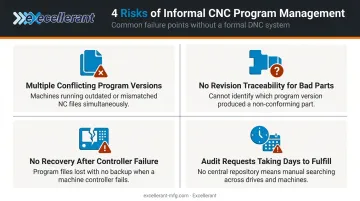
Scale that to 50+ machines running hundreds of programs across multiple part revisions — each with its own engineering change history — and complexity compounds fast. Without a formal system, that environment produces:
- Multiple "current" versions of the same program living on different machines
- No reliable way to identify which revision ran when a bad part was produced
- No recovery path when a machine controller fails and erases local program memory
- Audit requests that take days to fulfill manually, if at all
NIST notes that G-code has been in use for nearly 60 years, and the discipline of managing it at scale has lagged behind the technology that creates it. A structured program management system is how shops close that gap — and keep it closed as their machine count and part complexity grow.
Key Components of a CNC Program Management System
Centralized Program Storage
The most common failure mode in program management is simple: programs live in too many places. USB drives in operators' toolboxes. Files saved to individual machine memories months ago. Copies on a programmer's laptop that may or may not match what's on the floor.
A centralized, server-based program library eliminates this. One authoritative location. Every authorized user pulls from the same source.
Excellerant's DNC software uses a server-based architecture requiring only a single server installation. Access is browser-based, meaning operators and programmers can connect from any device — Windows, Android, Mac, iOS — with no client software to install or maintain.
Effective centralized storage also requires:
- Consistent folder structure organized by machine cell, part family, or customer
- Standardized file naming (part number + operation + revision level + date)
- Metadata attached to each file — programmer, date modified, approval status
Version Control and Revision Tracking
Version control means tracking every change to a CNC program: what changed, who changed it, when, and why. When a bad part surfaces, the shop needs to answer immediately — which revision was running at the time of production?
Without version control, that question can take hours to dig out. Version control makes it a few clicks.
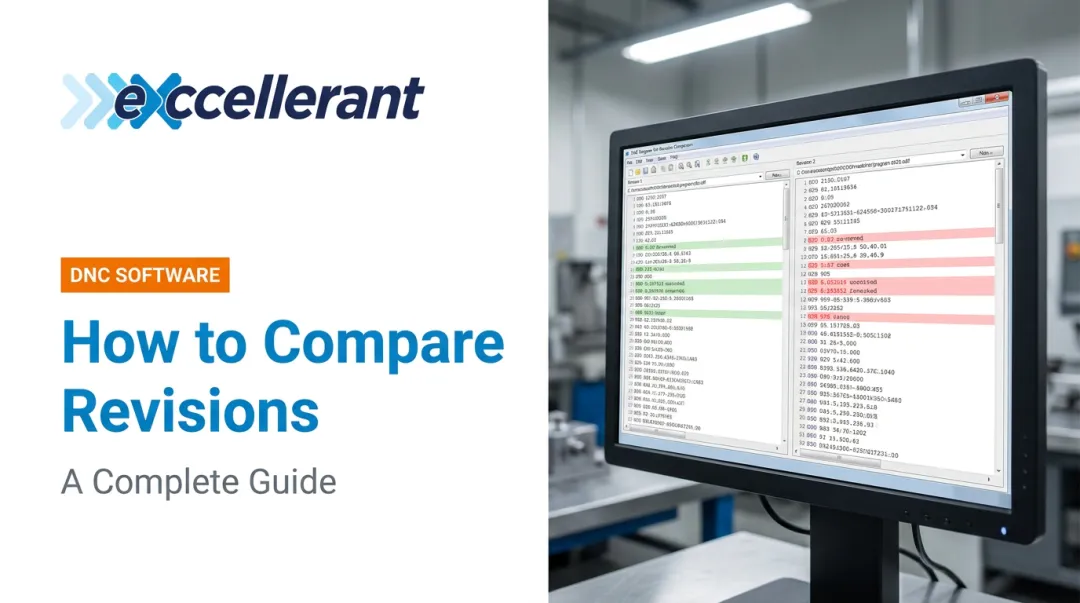
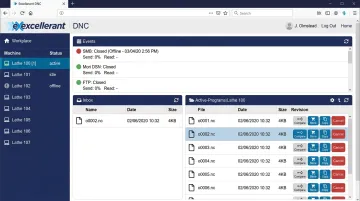
Excellerant's platform includes an in-browser G-code editor with one-click revision compare, allowing engineers and programmers to see exactly what changed between program versions side by side. The system maintains standards-compliant NC file revision control with documented change history — critical for AS9100 and ISO 9001 audit requirements.
Program Distribution via DNC
DNC — Direct Numerical Control, also called Distributed or Downloading Numerical Control — is the network-based method of transmitting CNC programs from a central server directly to machine tool controllers. It replaces physical media: USB drives, punch tape, floppy disks.
The core value of DNC is simple: machines pull the approved, current program from the central source rather than running locally saved copies that may be outdated.
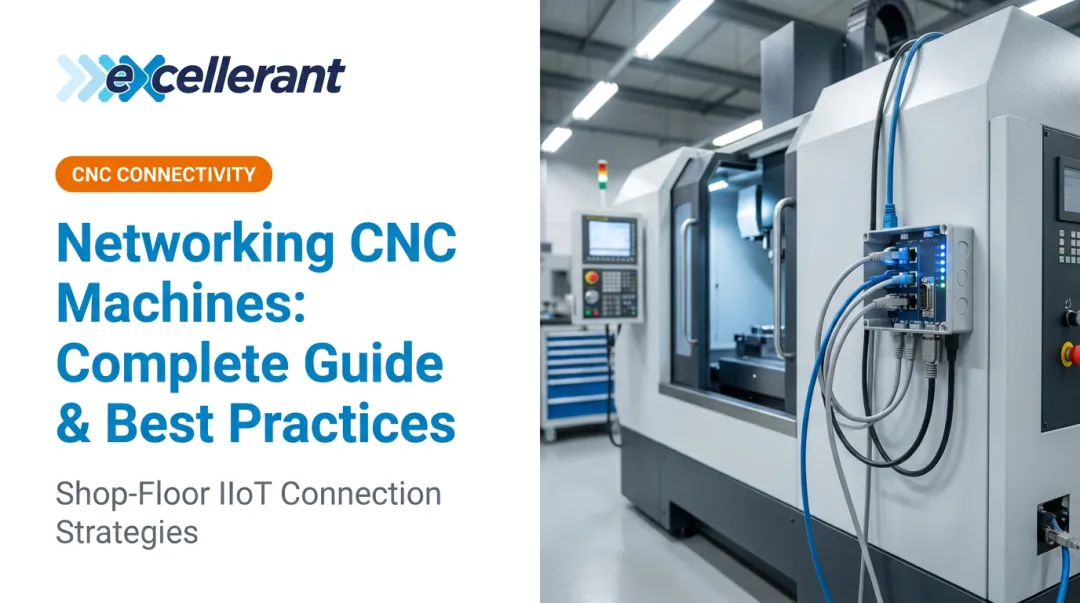
Excellerant supports DNC distribution across both wired Ethernet and wireless WiFi connections, with full support for legacy RS-232 serial machines via wireless adaptors — making it practical for shops running equipment of any age alongside modern CNCs.
Access Control and Security
Not everyone on the shop floor should have the same permissions. A robust program management system enforces role-based access:
- Programmers — create and edit programs
- Supervisors — approve and release programs to the floor
- Operators — load and run approved programs only, no editing
Excellerant's platform supports customizable user permissions with Active Directory integration, allowing administrators to group users by machine cell and manage access at the individual or group level. For defense contractors handling Controlled Unclassified Information (CUI) in G-code files, the platform is specifically built to support CMMC 2.0/3.0 and NIST 800-171 requirements.
In regulated industries, this access control layer isn't optional. AS9100 clause 7.5 treats CNC programs as controlled documented information when they're part of the quality management system.
Backup and Disaster Recovery
Access controls protect programs from unauthorized changes — but they can't protect against hardware failure. Machine tool controllers fail, and when they do, locally stored programs disappear. A shop without off-machine backups can spend days recreating programs from scratch, assuming the original CAM files still exist.
An effective backup strategy covers more than just G-code files. Key elements include:
- Automated, scheduled backups stored off-machine and versioned
- Full controller snapshots — custom settings, parameters, and tool offsets alongside program files (Haas and FANUC both recommend this approach for their respective controls)
- Tested restores — a backup that's never been verified is a backup you can't count on
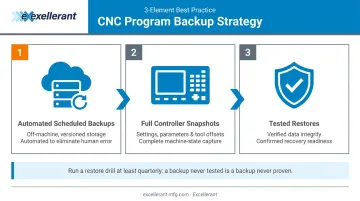
Run a restore drill before you need it. That's the only way to know it actually works.
Common CNC Program Management Challenges
The USB Drive Problem
Walk through any unmanaged shop floor and you'll find programs scattered across a dozen personal USB drives, saved to machine memories months ago, emailed between programmers, and occasionally printed on paper for reference. No single source of truth exists.
Modern Machine Shop identifies program formatting mistakes, process mistakes, and setup mistakes as three core causes of CNC program failures — all of which can be traced back to or worsened by poor program distribution practices. The result is scrapped workpieces, unplanned downtime, and in worst cases, machine damage.
Mixed-Machine Environments
Most shops don't have a clean, uniform fleet. They have machines from five different manufacturers, purchased over two decades, running a mix of RS-232 serial, Ethernet, and proprietary protocols. Getting all of them on a single unified distribution system — without replacing functional legacy equipment — is a genuine technical challenge.
Excellerant connects modern CNCs via Ethernet or WiFi while supporting older RS-232 machines through wireless adaptors — no equipment replacement required. Supported protocols include:
- MTConnect
- OPC-UA
- Fanuc FOCAS
- HAAS MNET
- Mazak Mazatrol
The Audit Trail Gap
In aerospace, defense, and medical manufacturing, quality auditors need to prove which program ran on which machine, on which date, at which revision. Without a managed system, that documentation either doesn't exist or requires days of manual reconstruction.
Excellerant's per-machine event logging and device connectivity history give quality managers and auditors a complete, searchable record of program activity — who accessed what, when, and which revision transferred to which machine.
CNC Program Management Best Practices
Establish a Single Source of Truth
Every active CNC program lives in one centralized, access-controlled repository. No exceptions. Operators should never run programs from personal USB drives or local machine memory outside the controlled system. This principle underpins every other best practice on this list.
Standardize Naming and Revision Conventions
A consistent naming convention removes ambiguity and makes automated sorting reliable at any library size. A practical format:
PART-1234_OP10_REV-C_20240315.nc
This encodes part number, operation, revision level, and date — enough information to identify the right file without opening it.
Implement a Formal Change Control Workflow
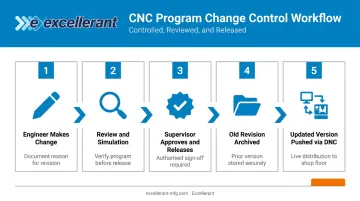
Program changes should follow a defined process:
- Engineer makes a change and documents the reason
- Updated program is reviewed and simulated
- Supervisor approves and releases the updated version
- Old revision is archived — not deleted
- Updated version is pushed to affected machines via DNC
Excellerant's optional Rev-Lock-Load feature supports this by limiting each CNC machine to a single program request and requiring the program to be returned to the server before a new one can be loaded.
Schedule Regular Backups and Test Restores
A reliable backup strategy covers more than just G-code files:
- Automate nightly or real-time backups of all program files
- Include machine parameters and tool offsets — losing those is as costly as losing the program itself
- Test restores periodically against actual machines to confirm data integrity
Train Operators on the Management System
Even a well-designed system gets circumvented if operators don't understand why it exists. Training should cover:
- How to request programs through the system
- How to flag version discrepancies
- Why unauthorized workarounds (like personal USB drives) create risk for the entire operation
When operators know the process — and the reasoning behind it — compliance improves without constant enforcement.
Tools and Systems for CNC Program Management
DNC Software Platforms
Modern DNC software is the operational backbone of CNC program management. These platforms have evolved well beyond simple file transfer tools — they now provide centralized storage, version control, machine connectivity, audit logging, and program distribution in a single integrated environment.
Excellerant's DNC software is a practical example of this integrated approach. The platform supports universal connectivity across any machine brand or protocol — including both legacy RS-232 serial machines and modern Ethernet/WiFi CNCs — from a single server installation with unlimited browser-based client access. Key capabilities include:
- In-browser G-code editor with one-click revision compare
- Standards-compliant NC file revision control
- Per-machine event logging and device connectivity history
- Customizable user permissions with Active Directory integration
- CMMC and ISO 9000/9001 compliance support
- Wireless DNC capability for shops without cabling infrastructure
Excellerant's founder developed the world's first wireless DNC connection to a machine tool in 2001 — a milestone that reflects the company's three-decade track record in machine tool networking.
CAM Software Integration and Machine Monitoring
DNC tools manage programs on the shop floor, but the lifecycle starts earlier — in CAM software, where programs are generated from CAD models. Integrating CAM output directly into the DNC system, rather than exporting and re-uploading files manually, reduces version mismatch risk at the handoff point where many errors originate.
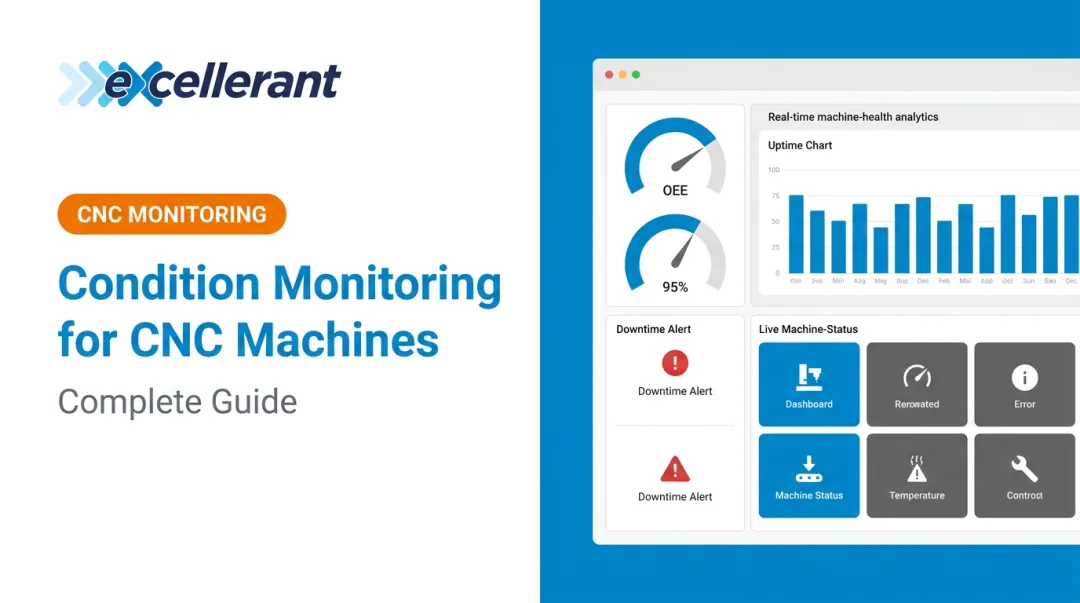
Machine monitoring platforms close the loop on the other end. When both are integrated in the same platform, manufacturers gain real-time visibility into:
- Which program is running on which machine
- Whether production is matching expected cycle times
- Whether output aligns with the approved program's intent
Excellerant's machine monitoring and DNC capabilities operate within the same platform, connecting program governance directly to production visibility.
Frequently Asked Questions
What does a CNC programmer do?
A CNC programmer writes and optimizes the G-code and M-code that directs machines to cut, mill, drill, or turn material. Working from CAD models and engineering drawings, they develop toolpaths, select cutting parameters, simulate programs, and refine processes with machinists. O*NET puts the US workforce at roughly 28,300 programmers, with a median annual wage of $65,670.
What does CNC mean in programming?
CNC stands for Computer Numerical Control : the use of computers to control machine tool movements through coded instructions. In programming, "CNC" describes both the machines being controlled and the discipline of writing the G-code that drives them.
Is CNC coding hard?
It depends on the approach. Conversational programming (menu-driven, on-machine) is beginner-friendly, and CAM software automates most G-code generation. Manual G-code programming requires solid math and machine knowledge that takes years to master, which is why most modern shops rely on CAM to reduce that burden.
What is a DNC system and how does it relate to CNC program management?
DNC (Direct Numerical Control) is a network-based system for transmitting CNC programs from a central server to machine tool controllers. It's central to program management, ensuring machines always receive the current, approved revision rather than relying on local copies or physical media.
How should CNC programs be organized and stored?
Use a centralized server repository with consistent naming conventions (part number, revision level, date), folder structures organized by part family or machine type, and automated backups. All programs should be accessed from this single source ; personal USB drives and local machine memory should not be used as program sources.
Why is version control important for CNC programs?
Version control ensures only the current, approved revision runs on the machine , preventing scrap, rework, and safety incidents caused by outdated code. It also creates an audit trail of every change, which is required for quality compliance in regulated industries like aerospace and medical device manufacturing.