DNC eliminates that chaos. By centralizing NC program management on a server and distributing files over a network, DNC replaces portable media with a controlled, logged, auditable system — one that scales from a handful of machines to hundreds.
This article covers what DNC actually is (both definitions), how it works mechanically, where it fits relative to CNC, which industries depend on it, and how it connects with complementary technologies like MTConnect, MES, and ERP. We'll also look at the current vendor landscape and the questions worth asking before you buy.
Key Takeaways
- DNC (Direct or Distributed Numerical Control) centrally manages and distributes NC programs to multiple CNC machines over a network
- It eliminates manual file transfer risks and enforces revision control with full audit trails
- DNC is not a replacement for CNC — it's the network layer that manages programs across CNC machines
- It works alongside machine monitoring, MES, MTConnect, and ERP to support full shop floor digitization
- Several specialized vendors serve this market — the right fit depends on your machine mix, legacy equipment, and integration needs
What Is DNC? Definition and Origins
Two Definitions, One Technology
DNC has two accepted meanings that describe real, distinct use cases:
Direct Numerical Control — networking CNC machines to upload and download programs from a central computer via RS-232, USB, or Ethernet. Modern Machine Shop defines this as running a program from a PC connected to the machine's communications port.
Distributed Numerical Control — "drip feeding" NC program blocks one at a time to a machine whose internal memory can't hold the full program. As Modern Machine Shop documented in 1995, this mode sends moves sequentially as the CNC executes them, with the control dividing attention between machining, look-ahead buffering, and receiving new data simultaneously.
Both terms describe valid operational modes, and manufacturers often use them interchangeably. Understanding where they came from helps clarify how far the technology has traveled.
From Paper Tape to Wireless
The evolution of DNC tracks directly with the limitations of each era's transfer method:
| Era | Method | Limitation Solved |
|---|---|---|
| 1956 | Punched paper tape | Programs could be stored and replayed |
| 1976 | CNC prominence at IMTS | Electronic control replaced manual machining |
| 1995 | RS-232 drip feed at 9,600–38,400 bps | Programs too large for machine memory could run |
| 2002 | Wireless Ethernet bridges (up to 64 machines) | Cable runs to machines became unnecessary |
| Today | Wi-Fi / cloud-networked DNC | Enterprise-scale program governance and IIoT integration |
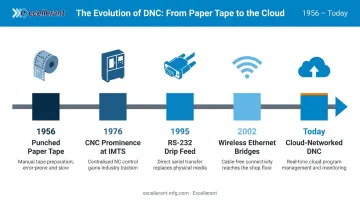
In 2001, John Carpenter at Macdac Engineering — the predecessor company to Excellerant — developed and premiered the world's first wireless DNC connection to a machine tool, in partnership with Comtrol Corporation and Enterasys Networks. Carpenter drew on his US Navy electronics training and years as a DNC systems integrator to lead the project. That connection is now standard practice in modern smart factory deployments.
What DNC Actually Does
Any DNC system performs four core functions:
- Pushes the correct NC program revision to the right machine at the right time
- Captures operating data, measurement results, and transfer events directly from machines
- Tracks every file change with full revision history — every edit logged and reversible
- Blocks unauthorized copies from circulating on portable media, eliminating rogue USB drives and mystery file versions
How a DNC System Works: Key Components
The Software Layer
The DNC server application houses all NC programs in a centralized database. It manages:
- Program check-in/check-out
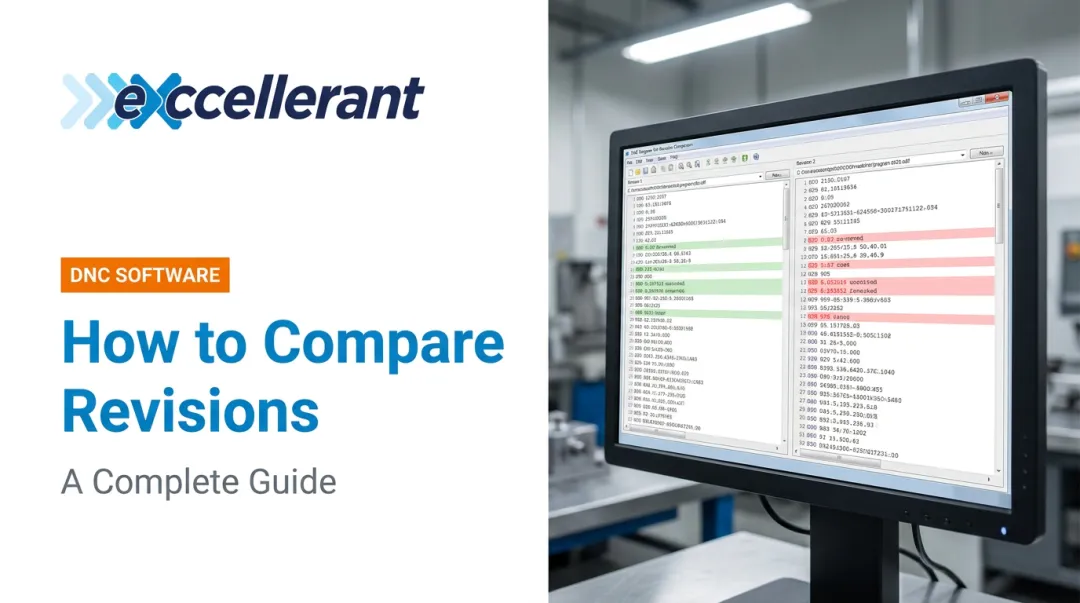
- Version history and revision comparison
- Access permissions by user or machine group
- Per-machine event logging and audit trails
Excellerant's DNC platform, for example, includes an in-browser G-code editor with one-click revision compare, Active Directory integration for permission management, and an optional Rev-Lock-Load feature that limits each machine to a single active program — requiring the file to be returned to the server before a new one can be requested.
The Hardware Layer
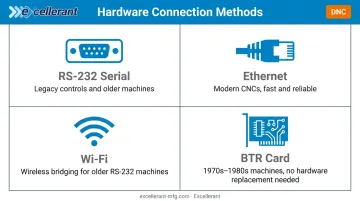
The physical connection between server and machine depends on the machine's age and brand:
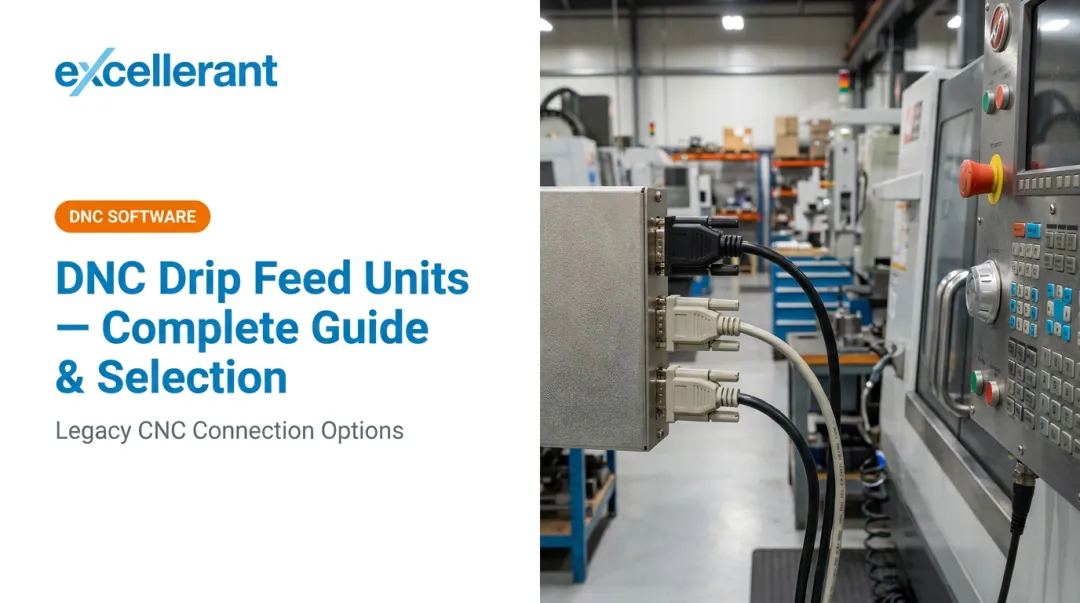
- RS-232 serial — legacy standard, still common on older controls; early DNC used XON/XOFF and XModem protocols for error detection
- Ethernet — standard on modern CNCs; faster and more reliable than serial
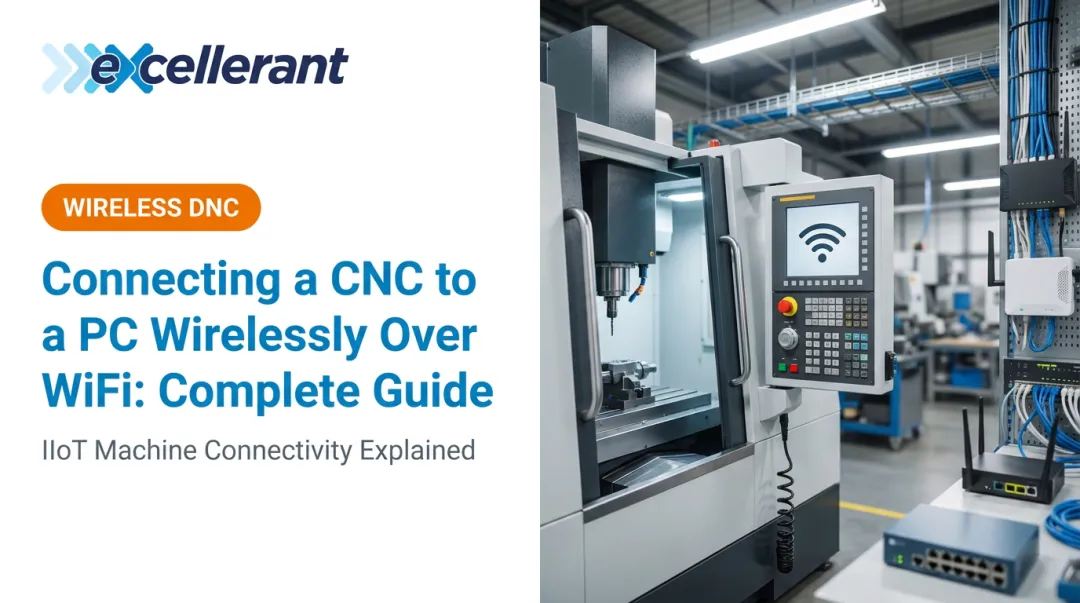
- Wi-Fi — wireless adaptors bridge older RS-232 machines onto the network without cabling
- BTR (Behind The Reader) cards — reader emulation devices that intercept paper tape reader signals and substitute DNC-fed data, letting machines from the 1970s and 1980s participate in a modern DNC network without hardware replacement
Two Transfer Modes
Full-program download: The entire NC program loads into machine memory before execution. Appropriate for shorter programs and machines with adequate onboard storage.
Drip feeding: Program blocks transmit one segment at a time during execution — necessary when programs exceed the machine's internal memory, which is common for complex 5-axis surface machining. Excellerant's platform supports simultaneous drip feeding to multiple machines. This eliminates the idle time that builds up when transfers run sequentially, one machine at a time.
Protocol Compatibility
DNC systems must speak each machine's native language. Key protocols include:
- Fanuc FOCAS — Ethernet-based connectivity for Fanuc CNC data collection
- HAAS MNET — native protocol for HAAS machines
- Mazak Mazatrol — for Mazak controls
- Heidenhain TNCremo — bidirectional data transfer per the LSV2 standard (DIN 66019)
- MTConnect / OPC UA — open standards for broader IIoT connectivity
Protocol coverage is a practical filter when evaluating DNC vendors. Confirm that any platform under consideration explicitly supports every control brand on your floor — gaps here mean workarounds, manual transfers, or machines left off the network entirely.
DNC vs. CNC: What's the Difference?
The confusion here is understandable — both acronyms end in "NC" — but they operate at completely different levels.
CNC (Computer Numerical Control) lives inside the machine. It's the electronic control system that executes a stored program to move axes, control spindle speeds, and run tools. CNC operates on one program at a time, stored in local machine memory.
DNC operates at the network level. It manages the library of programs, controls which version gets sent, tracks who accessed it, and logs every transfer. In short: CNC executes the program, and DNC controls which program CNC receives.
Consider a shop with 20 CNC machines and no DNC: operators physically load programs on each machine one at a time, from a USB drive or at the control keypad. With DNC, the server pushes the correct, approved revision to any machine on demand.
The "Large Memory" Misconception
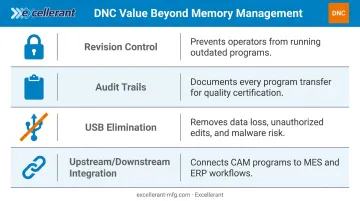
Newer CNC controls with large onboard storage have reduced the need for drip feeding, but that doesn't make DNC unnecessary. The value of DNC extends well beyond memory management:
- Revision control ensures no operator can run an outdated program without authorization
- Audit trails document every program-to-machine transfer for quality certification purposes
- USB elimination removes a primary vector for data loss, unauthorized edits, and malware
- Upstream/downstream integration connects CAM-generated programs to MES and ERP systems in a controlled workflow
For ISO 9000 and CMMC-regulated shops especially, that audit trail isn't a convenience — it's a compliance requirement.
Where DNC Is Used: Industries and Applications
Regulated Manufacturing
Three industries drive the majority of DNC adoption, each for documented compliance and operational reasons:
Aerospace and defense: 22 CFR 120.33 defines NC programs for defense articles as ITAR-regulated technical data when they meet the definition. Program traceability isn't optional — it's a compliance requirement. AS9100 quality management systems require documented evidence that processes were carried out as planned.
Medical device manufacturing: 21 CFR Part 11 requires secure, computer-generated, time-stamped audit trails for any electronic records that create, modify, or delete data under FDA predicate rules. Per-machine event logging in DNC creates the audit trail FDA inspectors look for.
Automotive and precision machining: High-volume production with frequently revised programs across many machines makes manual file management a production risk. ISO 9001:2015 requires organizations to maintain documented information supporting process operation — DNC provides that documentation automatically.
Scale of Deployment
DNC adoption spans the full range of shop sizes:
- Small job shops: A single PC connected to 4–8 machines, managing a program library with basic version control
- Mid-sized manufacturers: Networked DNC server with wireless capability, integrated with ERP for work order-driven program delivery
- Large factories: Enterprise DNC servers connected to dozens or hundreds of machines, integrated with MES, ERP, and real-time machine monitoring
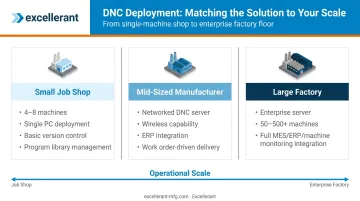
The architecture doesn't fundamentally change between deployments. Excellerant's platform runs on a single server install with browser-based client access for unlimited devices. That same foundation scales from 5 machines to 500.
Complementary Technologies That Work Alongside DNC
DNC handles program delivery. The broader shop floor digitization picture requires several adjacent technologies:
Machine Monitoring / MDC
While DNC sends programs to machines, machine monitoring collects performance data from machines — spindle utilization, cycle times, downtime events, alarm codes. Together they form the foundation of shop floor visibility: NC programs move down to the machine; performance data moves back up to the platform.
Excellerant's platform combines DNC and machine monitoring in a single unified interface, with both functions sharing the same hardware infrastructure and client environment.
MES Integration
MES knows what jobs are running on which machines. DNC ensures the correct NC program version is delivered when the job is released. That handoff connects scheduling to execution: the MES assigns the job, DNC delivers the right approved file, and the machine runs it against the correct work order.
Excellerant formed an integration partnership with Forcam, a leading MES platform provider, in 2015.
MTConnect
MTConnect (ANSI/MTC1.4-2018) is the open-source, XML-based industry standard for communicating machine tool data. It's deployed on 250,000+ devices across 50+ countries. DNC systems that support MTConnect can feed machine status and program data into analytics platforms and ERP systems without proprietary middleware.
Excellerant holds a voting membership on the MTConnect Standards Committee, giving the company direct influence over how these interoperability standards evolve — not just compliance with them.
ERP Integration
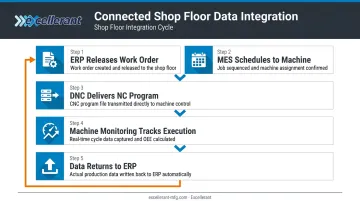
The full data flow in a connected shop looks like this:
- ERP releases a work order with job specifications
- MES schedules it to a specific machine and time slot
- DNC delivers the correct, approved NC program version
- Machine monitoring tracks execution — cycle times, actual hours, part counts
- Data returns to ERP automatically, replacing manual labor tickets with real-time actuals
Excellerant supports pre-built, bidirectional integration with Epicor, JobBoss, Global Shop Solutions, SAP, and Oracle, with an Open API for additional systems.
CAM Software
Engineers create NC programs in CAM tools like Mastercam or Fusion 360. DNC is the controlled delivery mechanism that gets those programs from the engineering workstation to the machine floor — with full version control. Without DNC, that handoff relies on portable media, and every transfer is a potential version error.
The DNC Vendor Landscape
The DNC software market is niche — no Gartner Magic Quadrant covers it specifically. It's served by a mix of dedicated DNC specialists and broader shop floor automation vendors. The four vendors below represent the most commonly evaluated options in US manufacturing environments:
| Vendor | Key Differentiators |
|---|---|
| Predator DNC | Widely deployed; broad industrial compatibility (CNCs, robots, CMMs, PLCs); available through resellers including Shop Floor Automations; multiple licensing models (USB device, NIC, floating network) |
| CIMCO DNC-Max | Strong in European manufacturing and large enterprises; wired and wireless capability; broad machine compatibility |
| eNETDNC | Ethernet-based, locally hosted; strong in mid-sized US job shops; eNETDNC LT variant for small shops with one or two machines |
| Excellerant | Pioneer of wireless DNC (first wireless connection in 2001); universal machine compatibility across brands and protocols; unlimited client access with no per-seat fees; combined DNC + machine monitoring in one platform; USA-based support; CMMC/NIST 800-171 compliance support |
What to Evaluate When Comparing Vendors
The vendor table shows who's in the market — the questions below help you decide which one fits your shop.
- Confirm native support for your specific controllers: Fanuc FOCAS, Mazak Mazatrol, Heidenhain, Siemens, HAAS
- Ask whether the system handles legacy RS-232 and BTR devices alongside modern ethernet/wireless machines
- Clarify the licensing structure — per-seat fees add up fast when you're scaling machines or users
- Check whether machine monitoring is built in, or whether you'd need a separate platform
- Verify audit trail capabilities against your compliance requirements (ISO 9001, CMMC, FDA Part 11)
- Confirm that technical support is in-house and reachable during your production hours
- Test the ERP/MES integration direction — some systems push data one way only
Frequently Asked Questions
What is DNC technology?
DNC (Direct or Distributed Numerical Control) is a computer-based system that centrally manages and distributes NC programs to CNC machine tools over a network. It replaces manual file transfer methods like USB drives, eliminating version errors, unauthorized edits, and untraceable changes.
What is the difference between a CNC and DNC system?
CNC is the control system inside a machine tool that executes a program — it operates at the machine level. DNC is the network-level system that manages, stores, and delivers those programs to multiple CNC machines. They work together, not in competition.
What are the components of a DNC system?
Two main layers make up a DNC system. The software layer handles the centralized NC program database, version control, and access management. The hardware layer covers communication interfaces (RS-232, Ethernet, USB, or wireless) that link the server to each CNC machine on the floor.
What industries use DNC systems?
DNC is widely used in aerospace and defense (ITAR compliance, program traceability), medical device manufacturing (FDA audit trails), and automotive production. It's also standard in any precision machine shop running multiple CNCs under quality certifications like ISO 9001 or AS9100.
What is drip feeding in DNC?
Drip feeding transmits NC program code to a CNC machine one block at a time during execution, rather than loading the full program into machine memory first. It's used when a program exceeds the machine's internal storage capacity, which is common in complex 5-axis and surface machining work.
Can DNC systems work wirelessly?
Yes. Modern DNC systems support Wi-Fi connections to CNC machines. Wireless DNC was first demonstrated in 2001 and is now common in facilities where running cables to machines is impractical or would disrupt operations. Legacy RS-232 machines connect via wireless adaptors that bridge serial connections onto the network.